Add Noise To PNG Images
Add Noise To PNG Images Online
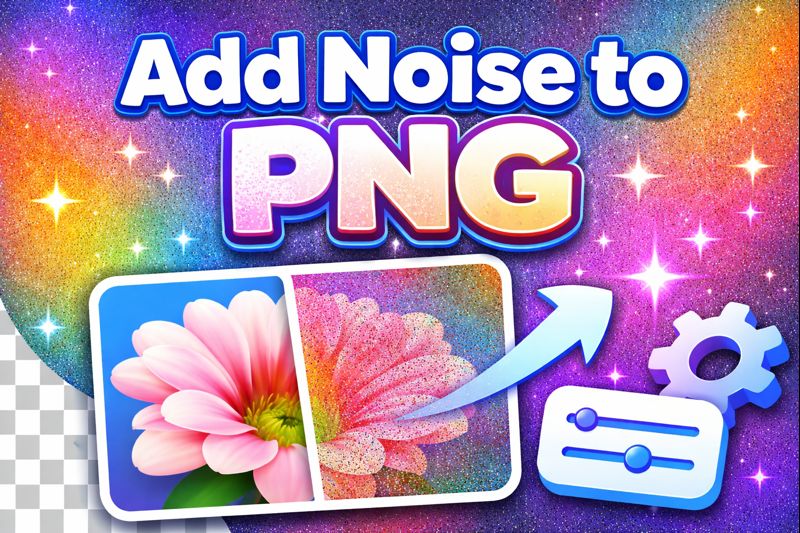
Adding noise to a PNG image is a simple yet powerful way to enhance visual quality, improve realism, and add texture to otherwise flat or overly clean images. With our Add Noise To PNG tool, you can easily apply grain or noise effects to PNG images online—no design skills, no downloads, and no complicated software required.
Whether you’re a designer, photographer, web developer, or content creator, this tool allows you to add controlled noise to your PNG files while preserving transparency, resolution, and image quality.
What Does “Add Noise To PNG” Mean?
When you add noise to a PNG, you intentionally introduce small random variations in pixel color or brightness. This noise can appear as grain, texture, or subtle randomness across the image.
Unlike JPEG files, PNG images use lossless compression and often include transparent backgrounds. This makes adding noise more delicate, as poor tools can damage transparency or create unwanted artifacts. Our PNG noise tool is designed specifically to handle PNG images correctly and professionally.
Why Add Noise to a PNG Image?
Adding noise isn’t about damaging image quality—it’s about improving how an image looks and feels.
1. Improve Visual Realism
Perfectly clean digital images can feel artificial. Adding noise introduces subtle imperfections that make images feel more natural and realistic.
2. Reduce Color Banding
Flat gradients often show visible color bands. Noise helps smooth these transitions and creates a more organic look.
3. Add Texture to Flat Designs
Noise adds depth and texture to logos, illustrations, backgrounds, and UI elements without overwhelming the design.
4. Create Film Grain Effects
Photographers often add noise to simulate classic film grain or cinematic aesthetics.
5. Enhance Web and App UI
Designers use PNG noise overlays to improve backgrounds, reduce eye strain, and avoid flat color fatigue.
Key Features of Our Add Noise To PNG Tool
Our online PNG noise generator is built to deliver professional results with minimal effort.
✔ Full PNG Transparency Support
Add noise to transparent PNG files without breaking or flattening the alpha channel.
✔ Adjustable Noise Intensity
Control exactly how much noise you want—from very subtle grain to strong texture effects.
✔ No Quality Loss
Your original resolution, sharpness, and details remain intact.
✔ Fast Online Processing
Upload, apply noise, and download in seconds.
✔ No Signup or Installation
Use the tool instantly on any device
How to Add Noise to a PNG Image
Adding noise to a PNG using our tool is quick and straightforward:
Upload your PNG image
Select or drag and drop your PNG file.Adjust the noise level
Increase or decrease noise intensity to match your desired effect.Preview the result
See real-time changes before downloading.Download your noisy PNG
Get the final image in high quality with transparency preserved.
Types of Noise You Can Add to a PNG
Different projects require different noise styles. Our tool applies optimized noise for PNG images while keeping visuals clean.
• Grain Noise
Fine, subtle noise ideal for realism and soft textures.
• Random Noise
More visible pixel variation for artistic or abstract designs.
• Monochrome Noise
Black-and-white noise commonly used for film grain effects.
• Color Noise
Adds randomness across color channels for creative visuals.
All noise is applied carefully to maintain PNG quality and transparency.
Who Should Use This Add Noise To PNG Tool?
This tool is designed for a wide range of users:
Graphic designers adding texture to designs
Web designers enhancing backgrounds and UI elements
Photographers applying grain effects
Digital artists improving illustrations
Game developers creating realistic textures
Content creators styling images for social media
Why Our PNG Color Tone Tool Stands Out
Unlike generic image editors, our tool is built specifically for PNG color manipulation, ensuring accurate color mapping and transparency retention.
What makes it better:
Optimized for PNG alpha channels
No background flattening
Clean, intuitive UI
High-speed rendering
Free to use
Does Adding Noise Reduce PNG Image Quality?
No—when applied correctly, noise does not reduce image quality. In many cases, it improves perceived quality by:
Reducing flatness
Softening harsh gradients
Adding depth and realism
Our tool applies noise in a controlled, non-destructive way so your PNG remains sharp and usable.
Add Noise to PNG for Web Design and UI
Noise is widely used in modern web and app design. Subtle noise overlays:
Improve background contrast
Reduce visual strain
Add depth without distraction
Enhance flat color layouts
This makes our Add Noise To PNG tool ideal for UI elements, hero backgrounds, and overlays.
Privacy and Security
Your files are handled safely and responsibly.
Images are processed instantly
No files are stored on servers
No watermarks added
Safe for personal and professional use
Start Adding Noise to Your PNG Images Now
Whether you want to add subtle grain, realistic texture, or creative noise effects, our Add Noise To PNG tool makes the process fast, easy, and professional. Upload your PNG, adjust the noise, and download your final image in seconds.
Try it now and enhance your PNG images with perfectly balanced noise—no software, no hassle.
Frequently Asked Questions
Yes. The tool fully supports transparent PNG images and preserves the alpha channel.
Yes, it is completely free and does not require registration.
Noise may slightly increase file size depending on intensity, but optimization keeps it minimal.
Yes. You can adjust the noise level to match your exact needs.
No. The original resolution and clarity are preserved.
Yes. It works on desktop, tablet, and mobile browsers.
Absolutely. The output is high quality and safe for commercial use.
No. Files are not stored or shared.